Autel AutoLink AL519
Autel AutoLink AL519 OBDII / CAN Scanner is an enhanced car engine scanner that supports all 10 modes of OBDII test for a complete diagnosis and turn off Chck Engines Light(MIL). Featuring the unique patented One-Click I/M Readiness Key, the AutoLink AL519 scan tool quickly checks whether your vehicle meets the State Emission Monitor Status and assists you to pass the Smog Check. In addition, the thousands of troubleshooter code (DTCs) tips help technicians to save diagnosis and repair time.
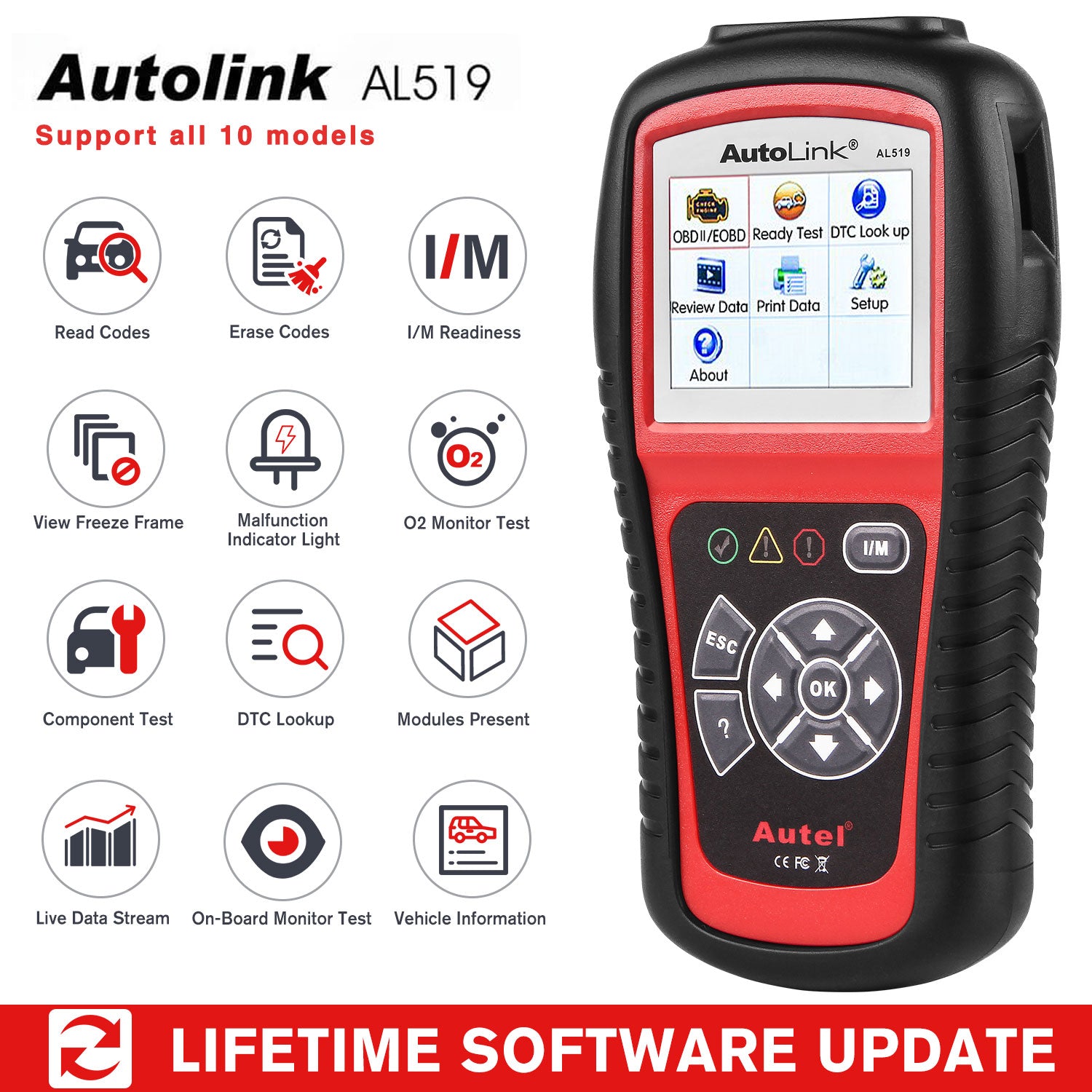
Autel AutoLink AL519 Features:
- Works on most 1996 and newer vehicles (OBDII & CAN) – domestic and import
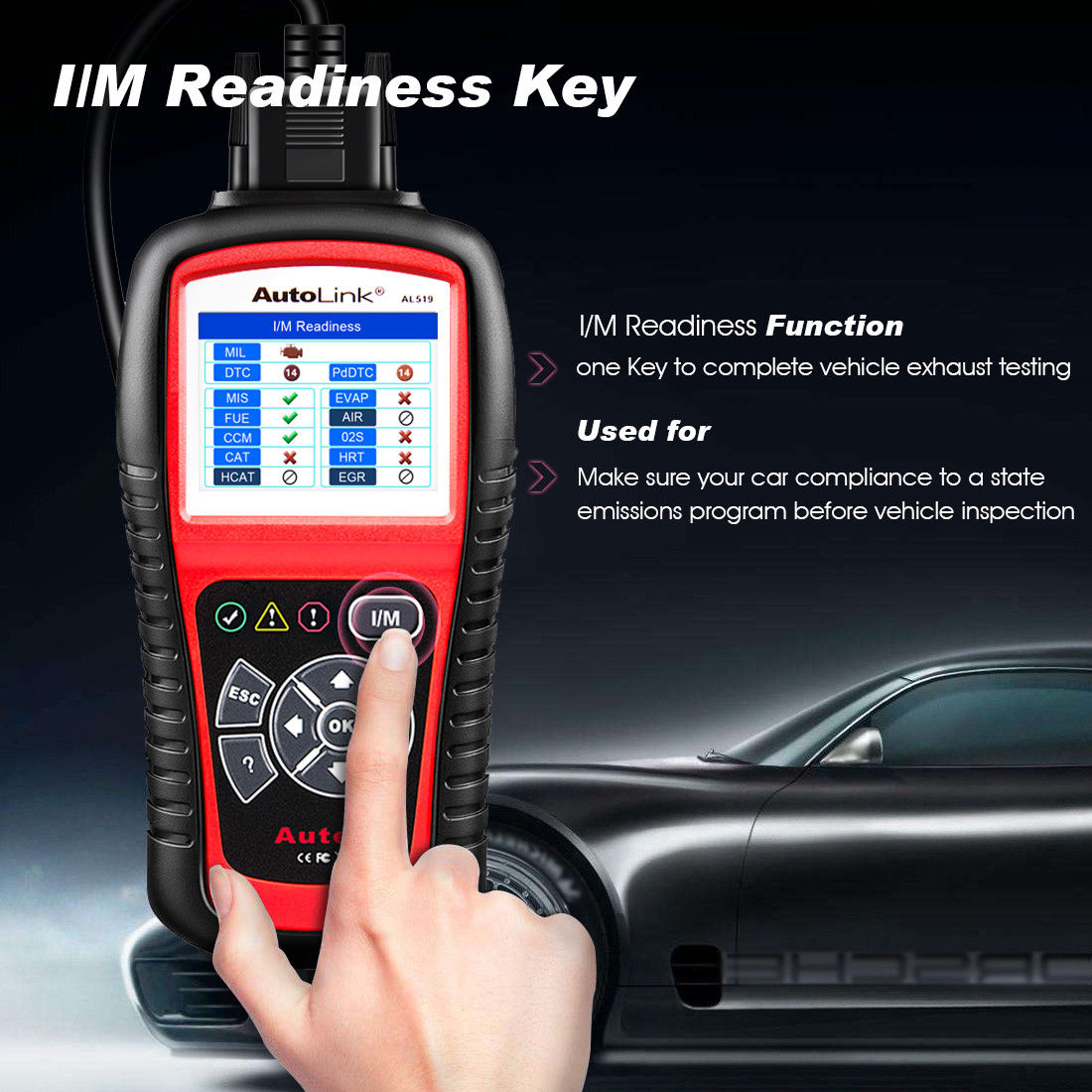
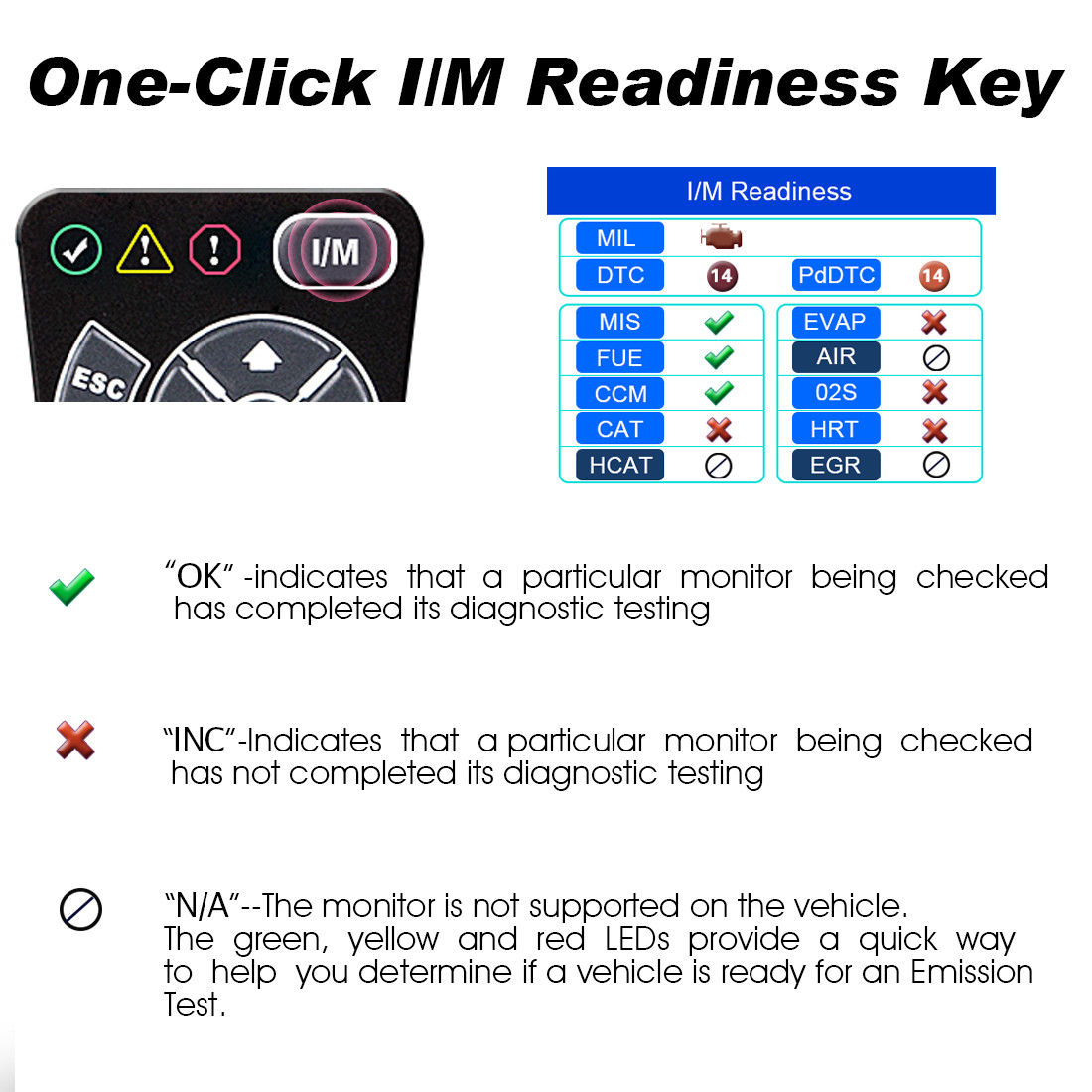
- Features the unique patented One-Click Readiness Key for quick State Emissions readiness check and drive cycle verification
- Retrieves generic (P0, P2, P3 and U0), manufacturer specific (P1, P3 and U1) codes and pending codes
- Easily determines the cause of the Check Engine Light(MIL)
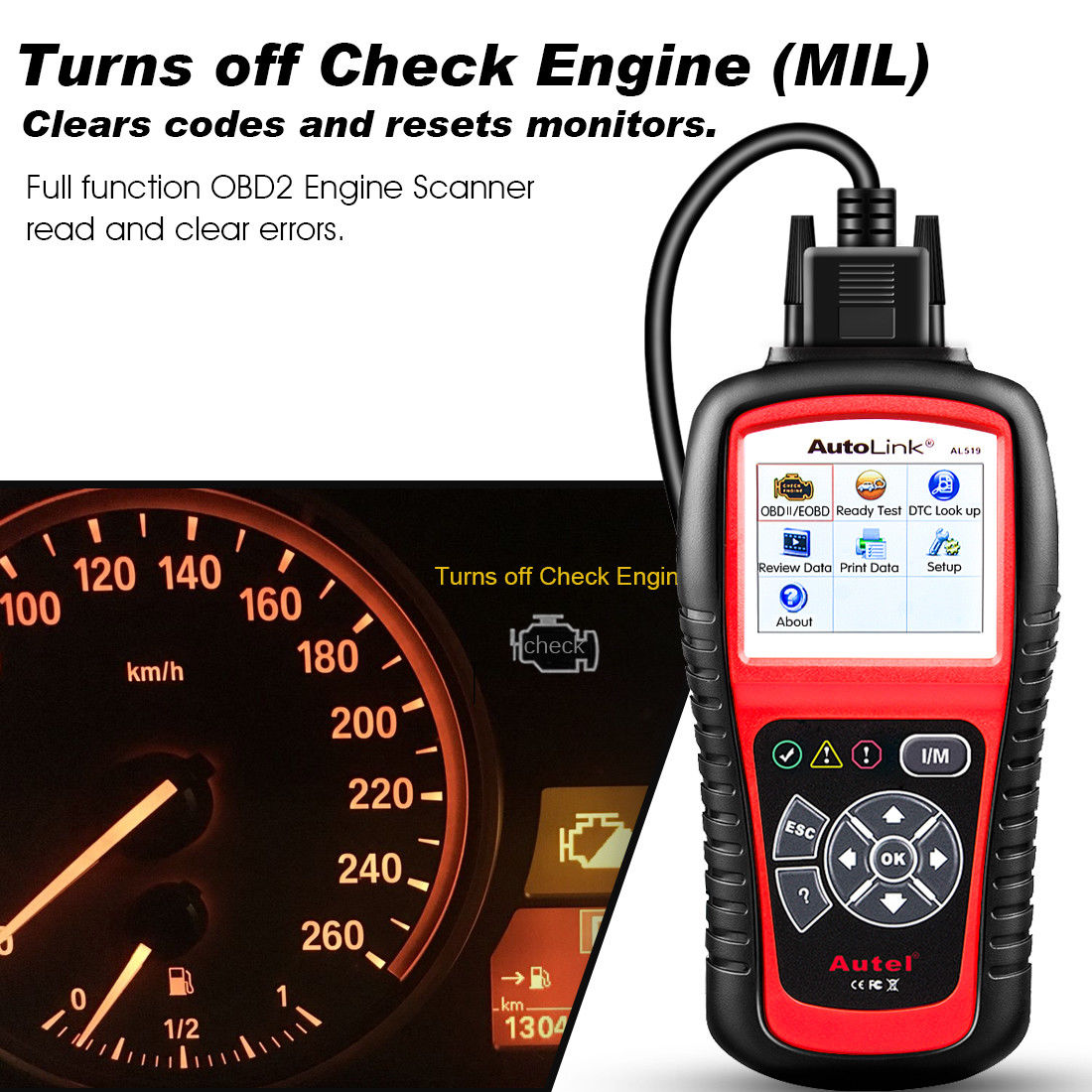
- Turns off Check Engine Light (MIL), clears codes and resets monitors
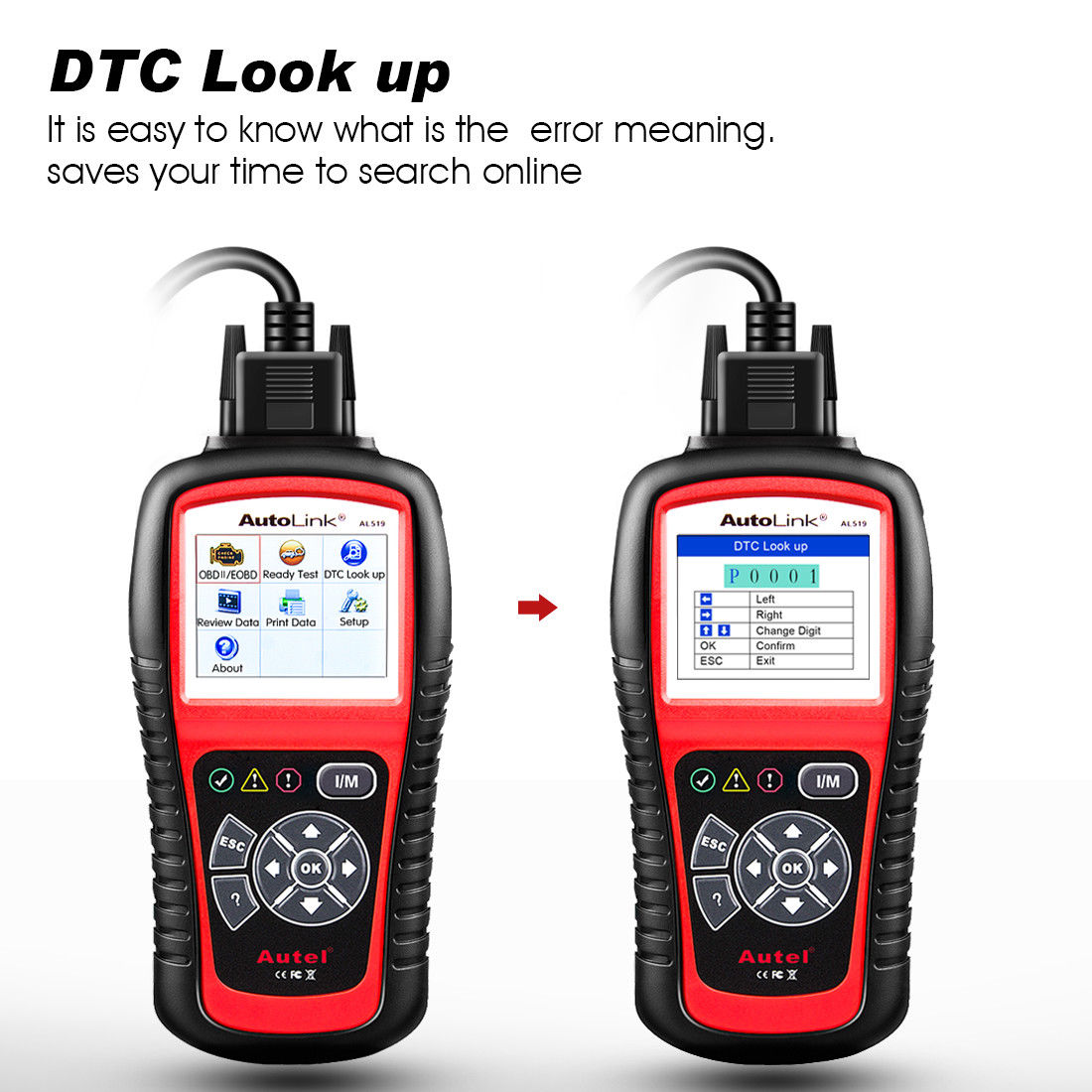
- Displays DTC definition on the TFT color screen
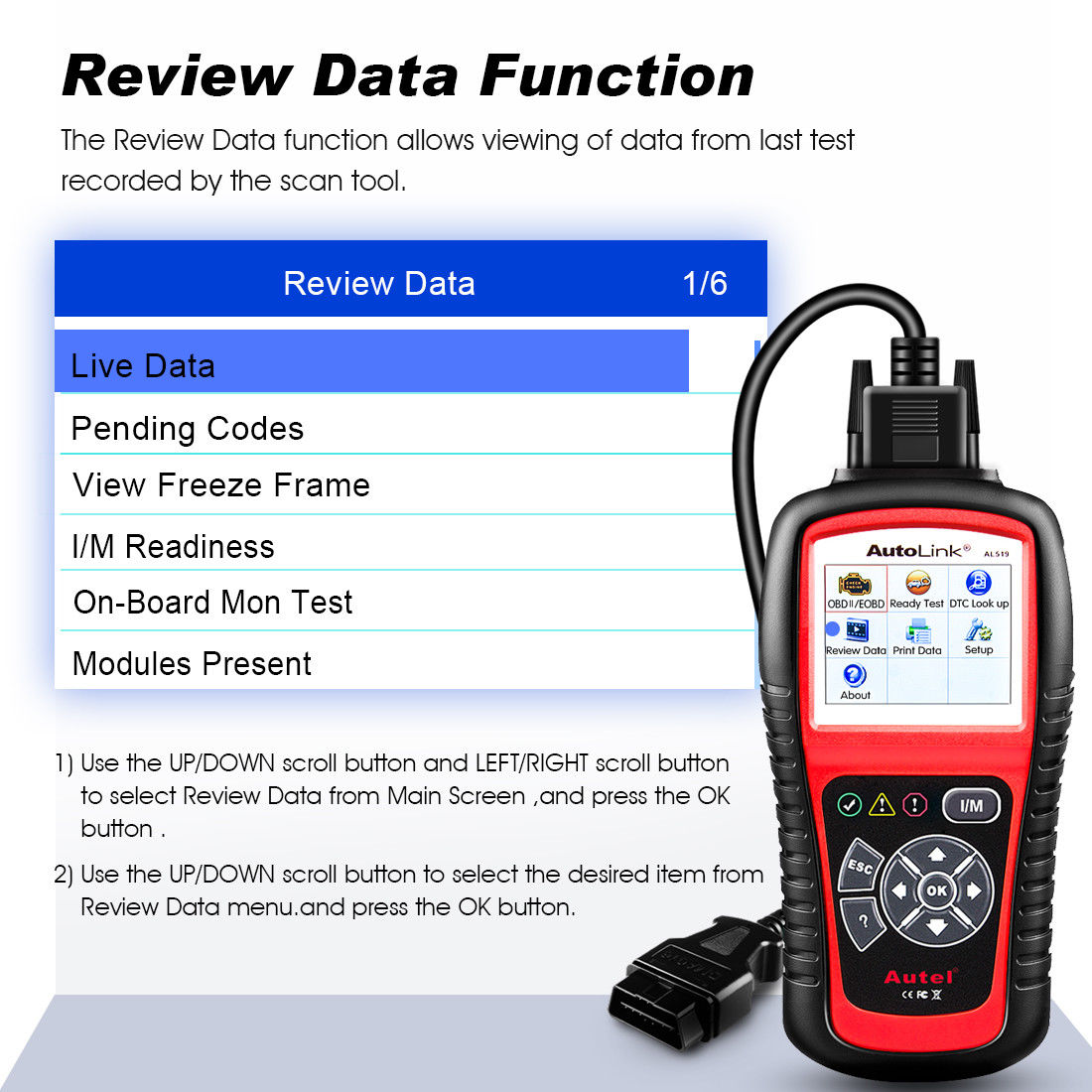
- Views freeze frame data
- Displays monitor and I/M readiness status (emissions)
- Reads live PCM datastream
- Displays live O2 sensor test data
- Graphs data (1996 and newer vehicles)
- Reads, stores and playbacks live sensor data
- Enhanced OBDII Mode 6
- Troubleshooter code tips guide technicians to the root cause of a trouble code faster, saving diagnosis and repair time
- Retrieves vehicle information (VIN, CIN and CVN)
- Multilingual menu and DTC definitions
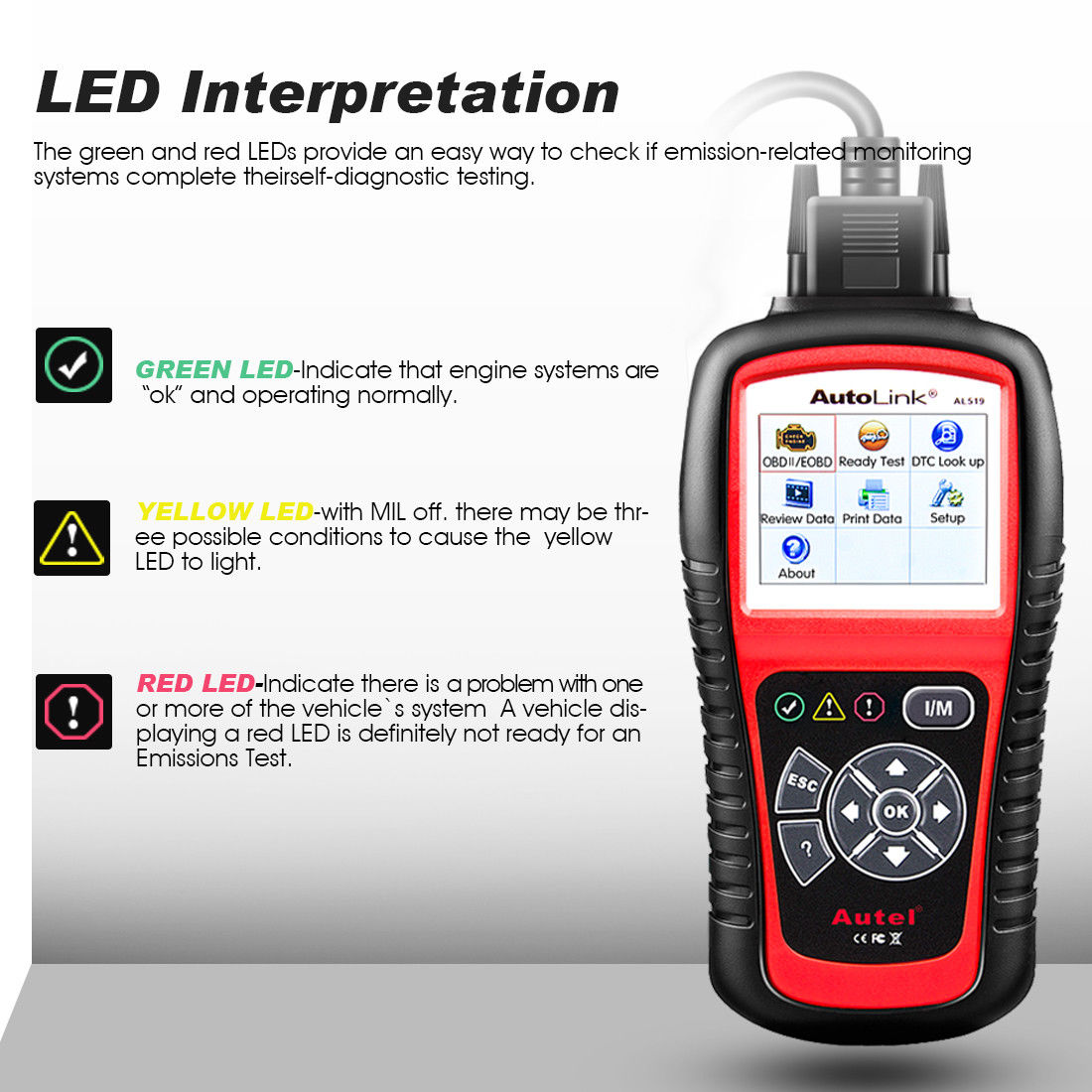
- Bright color coded LEDs and built-in speaker provide both visual and audible tone for readiness verification
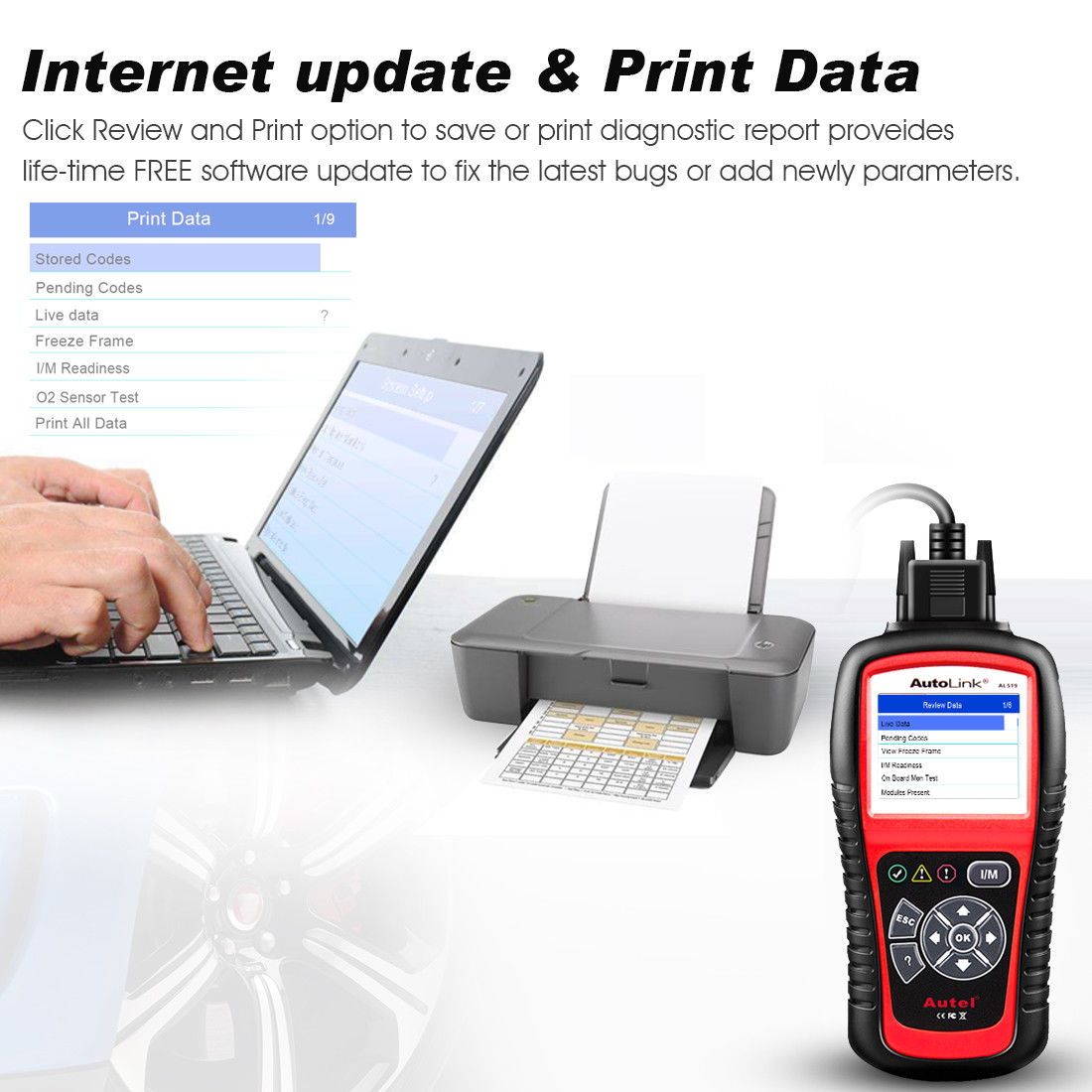
- Internet updateable and Prints data via PC
Autel AL519 Enhanced OBD II Scan Tool:
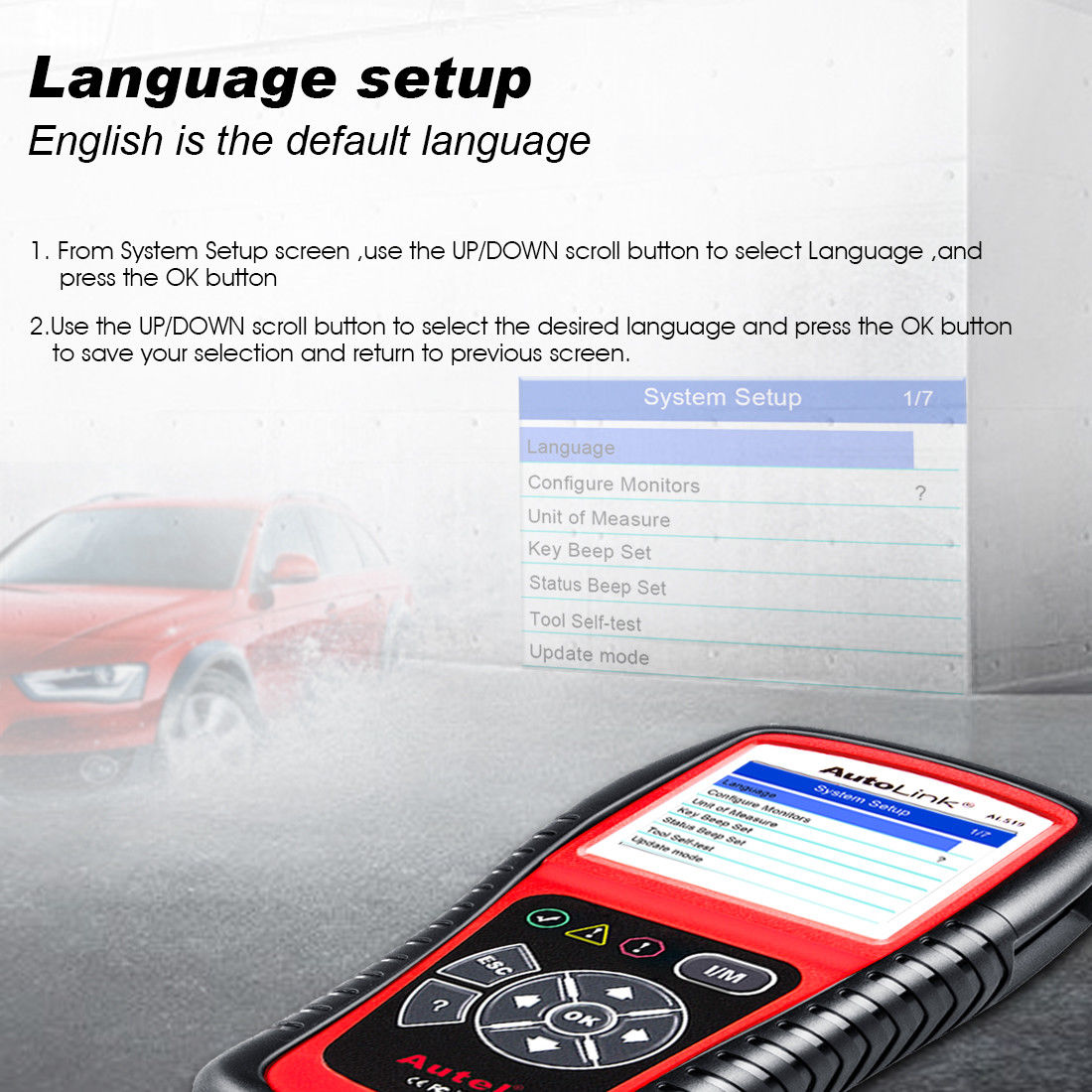
Autel AL519: How to Change Language?
- Step 1: Install the software on your desktop and open it;
- Step 2: Open the software and plug the AL519 USB connector into the computer, then open AL519 “Setup” →”Language”
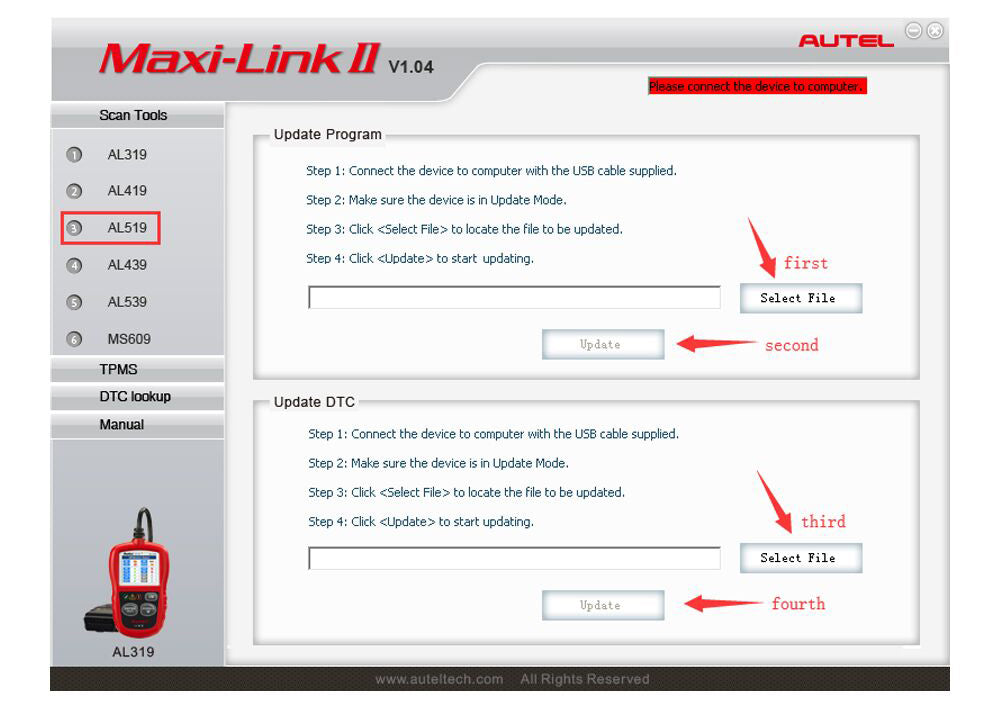
- Step 3: Select the machine model on the left and then select the file package you want, first update the “Udate Program”, next update the “Update DTC”, the same steps, please refer to bellow image:
- Step 4: After the above steps are completed, pull out AL519 and plug it in the computer again. Then repeat the second and the third steps. Finally, it is done. If there are any questions, please feel free to contact us.
Autel AutoLink AL519 Specifications:
| Display: |
TFT color display (320 x 240 dpi) |
| Operating Temp: |
0 to 60°C (32 to 140 F°) |
| Storage Temp: |
-20°C to 70°C (-4°F to 158°F) |
| Dimensions (LxWxH): |
175 mm x 96.6 mm x 37 mm(6.91” x 3.80” x 1.46”) |
| Weight: |
0.3kg (0.8lb, without wire) or 0.68kg (1.82lb, with wire) |
Free Standard Shipping
Orders are fulfilled through our domestic logistics partner based in Richmond, BC, to ensure fast local delivery. We offer free standard shipping via Fedex, Canada Post, DHL on most orders within Canada (excluding remote regions). We are committed to getting your diagnostic tools to you as quickly and efficiently as possible.

Where is my order shipped from?
Orders are fulfilled through our domestic logistics partner based in Richmond, BC, to ensure fast local delivery.
Estimated Delivery
Note: Delivery times are estimates and may vary due to factors such as location, carrier delays, or external conditions.
Order Processing Time
Most orders are processed and handed to the carrier within 24–48 business hours (excluding weekends and holidays). In rare cases such as high order volume or stock delays, processing may take up to 5 business days.
Once your order has been dispatched, we will provide a tracking number via email so you can monitor your package. Please allow 24–48 hours for the tracking information to update.
Shipping Address Change
If you would like to change the shipping address, please contact us via email as soon as possible. Once the order has been shipped, we are unable to alter the address.
Returns, Refunds, and Exchanges
We accept returns within 30 days of delivery.
For a return address and more details, please visit our Return Policy. Free to contact us at sales@obdprice.com if there any more concerns.
Contact info:
Email: sales@obdprice.com
Company: UUC Technology Co., Limited
Address: FLAT 2401-16 WING SHING INDUSTRIAL BUILDING 26 NG FONG STREET SAN PO KONG KL
Welcome to OBDPRICE CA, operated by UUC TECHNOLOGY CO., LIMITED.
OBDPRICE CA is an authorized reseller of Autel products. The Autel products offered on our website are genuine, 100% brand new and sourced through authorized distribution channels. We maintain valid authorization documentation from Autel and operate in accordance with industry standards and applicable e-commerce regulations.
We are committed to providing authentic automotive diagnostic tools, accurate product information, transparent business practices, responsive customer support, and dependable after-sales service for our customers.
Contact info:
Company: UUC Technology Co., Limited
Address: FLAT 2401-16 WING SHING INDUSTRIAL BUILDING 26 NG FONG STREET SAN PO KONG KL
Email: sales@obdprice.com
We specializing in providing genuine automotive diagnostic tools, such as the Autel MaxiCOM and MaxiSys series, to mechanics and DIY enthusiasts. And our mission is to provide transparent pricing and exceptional support, helping you keep vehicles on the road with the world's most advanced diagnostic technology.
Official Authorization Certificate:
Please refer to our Official Authorization Certificate below, or verify our dealer status directly via Autel.com.


 In Stock
|
In Stock
|


